Unlock Your Creativity with Journaling Planner Canva Templates
There is a distinct satisfaction that comes from putting pen to paper, but in the digital age, that tactile experience often lives inside a PDF or a print-on-demand book. For entrepreneurs, designers, and content creators, the challenge has always been bridging the gap between a raw idea and a polished, printable product. This is precisely where the Journaling Planner Canva Templates step in. They offer a robust starting point—a customizable foundation that allows you to launch your own branded stationery or KDP product without wrestling with complex layout software from scratch.
The Anatomy of a Flexible Interior Design
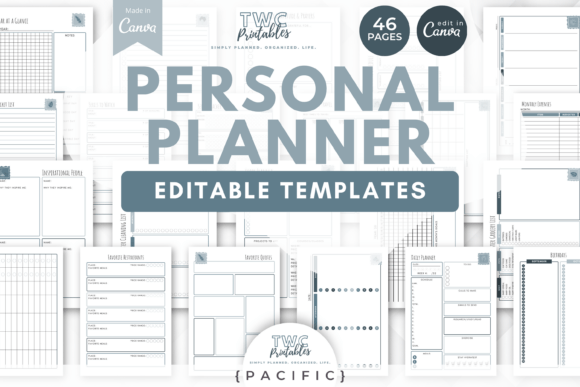
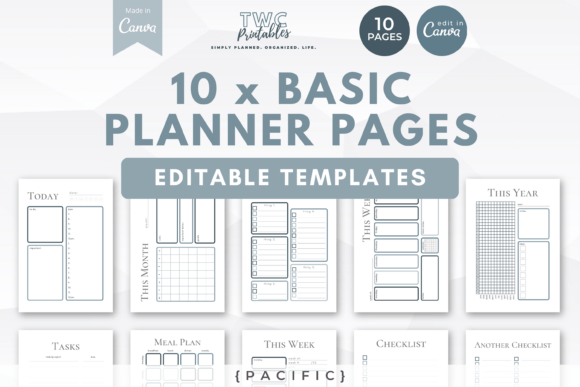
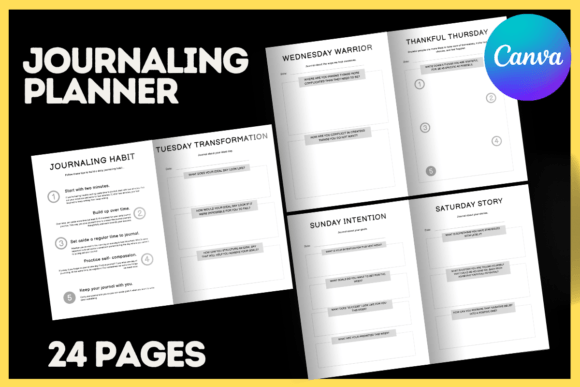
When we talk about Journaling Planner Canva Templates, we are discussing more than just a collection of lines on a page. The visual personality of this specific layout is built on clarity and adaptability. The design aesthetic avoids clutter, focusing instead on negative space and structure. This minimalism is intentional; it acts as a canvas for your own branding elements. Whether you prefer a modern typography look with clean sans-serifs or a more organic feel with script fonts, the layout accommodates it all.
The appeal lies in the standardization of the dimensions—8.5 x 11 inches. This is the industry standard for planners, diaries, and workbooks, particularly for those utilizing Amazon KDP or selling digital downloads on Etsy. By adhering to these dimensions, you eliminate the guesswork regarding bleed areas and trim lines. The 24-page structure provides enough depth to create a meaningful introductory journal without overwhelming the user or inflating production costs. It is a balanced approach to editorial design, ensuring that every page serves a functional purpose while maintaining visual harmony.
Practical Applications for Modern Creators
The versatility of these design assets extends far beyond simple journaling. For the small business owner, these templates can be repurposed into branded workbooks for workshops. Imagine a marketing agency providing a "Quarterly Planning Guide" to clients using this layout. By simply swapping the fonts and colors to match the agency's brand identity, the template transforms into a high-value corporate asset.
For bloggers and content creators, the applications are equally diverse:
- Digital Products: Sell the filled-out version as a PDF download or the editable Canva link itself as a "done-for-you" service.
- Print-on-Demand: Utilize the layout to create niche-specific diaries (e.g., "Fitness Trackers," "Gratitude Journals," or "Project Planners").
- Brand Consistency: Use the interior pages alongside your logo design and marketing materials to create a cohesive packaging design experience for your customers.
Crafters and hobbyists will find the Customizable Journaling Diary Canva KDP Layout particularly useful for personal projects. If you are organizing a family reunion or planning a wedding, having a centralized, beautiful document that you can edit in real-time on Canva saves hours of frustration. You are not locked into a static PDF; you have the freedom to adjust text blocks, move elements, and truly make the design your own.
Mastering the Editable Workflow
The core value proposition of this product is the Editable Canva Link. However, understanding how to manage this asset is crucial for a smooth workflow. Canva is a powerful web design and graphic tool, but it requires a specific approach when using shared templates to maintain organization.
The instructions provided with the templates are not merely suggestions—they are operational necessities. When you access the link, you are viewing the "Master" file. If you begin editing this file directly, you risk corrupting the original template or losing your work if the link resets. The professional standard is to immediately navigate to "File" and select "Make a Copy." This secures the premium font and layout data into your personal Canva account.
Once copied, the customization process begins. This is where you apply your knowledge of font pairing. The template serves as the skeleton, but you provide the muscle and skin. Consider the hierarchy of your text. The headers might call for a bold display font or a sans serif font with high legibility, while the body text should remain a clean, readable serif font or standard sans-serif to ensure the user can actually write in the journal without visual fatigue.
Elevating Brand Perception Through Layout
A well-structured interior does more than organize information; it influences how the user perceives the value of the content. In the world of digital products, readability is king. If a planner is difficult to navigate, users abandon it. The Journaling Planner Canva Templates are designed with visual hierarchy in mind. The spacing between lines, the margins for hole-punching, and the placement of prompts are all calibrated to guide the eye naturally.
For those entering the publishing space, specifically KDP, the professionalism of your interior layout directly impacts reviews and return customers. A sloppy layout suggests a lack of care, whereas a polished, adaptable design implies authority. By utilizing these templates, you are essentially bypassing the steep learning curve of InDesign or Illustrator, yet achieving a result that rivals professional editorial design.
Furthermore, the ability to change the hues and design aesthetics means you can target specific demographics. A soft pastel palette might appeal to a wellness audience, while a high-contrast, neon-accented version could target gamers or tech enthusiasts. This flexibility ensures that your creative font choices and color theories are supported by a solid structural framework.
Final Thoughts on Asset Management
Treat these templates as a living part of your brand identity toolkit. Do not simply use them once and forget them. Experiment with different font styles—perhaps try a handwritten font for a personal touch or a geometric sans-serif for a futuristic vibe. The goal is to create a product that feels uniquely yours, despite starting from a shared blueprint. By leveraging the Customizable Journaling Diary Canva KDP Layout